Published 24 August 2026.
Quick answer: ServiceNow replaced five licensing tiers with three on 9 April 2026 and put a second meter, Assists, into every tier. A renewal that used to be a seat count conversation is now a tier migration with a consumption pool attached, and the pool sizes and top-up prices that decide your year-two cost are unpublished.
If your ServiceNow renewal is coming up, the checklist you used last time is describing a model that no longer exists. Five tiers became three in April, and a second meter called Assists now sits alongside the per-seat subscription in every tier. ServiceNow publishes what each AI action costs in Assists. It does not publish how many Assists each tier includes or what a top-up costs.
The changes are documented, in ServiceNow's own materials and in partner briefings. What makes it a commercial problem is that most renewal checklists still assume the old shape, so the questions that would surface a year-two surprise never get asked.
Here are seven questions that surface those surprises, in the order worth asking them. Each has a specific answer your account team can put in writing, and the writing part matters more than the asking.
Table of contents
- What changed on 9 April 2026
- Which tier are we being mapped to, and what moved?
- What is our Assist pool, and what does a top-up cost?
- Which packaging paths are you being shown?
- What is the escalator, and is it capped?
- What is our exact notice window?
- What are we paying for that nobody uses?
- Who is liable when an agent acts on its own?
- When to start, and why timing is leverage
- Frequently asked questions
What changed on 9 April 2026
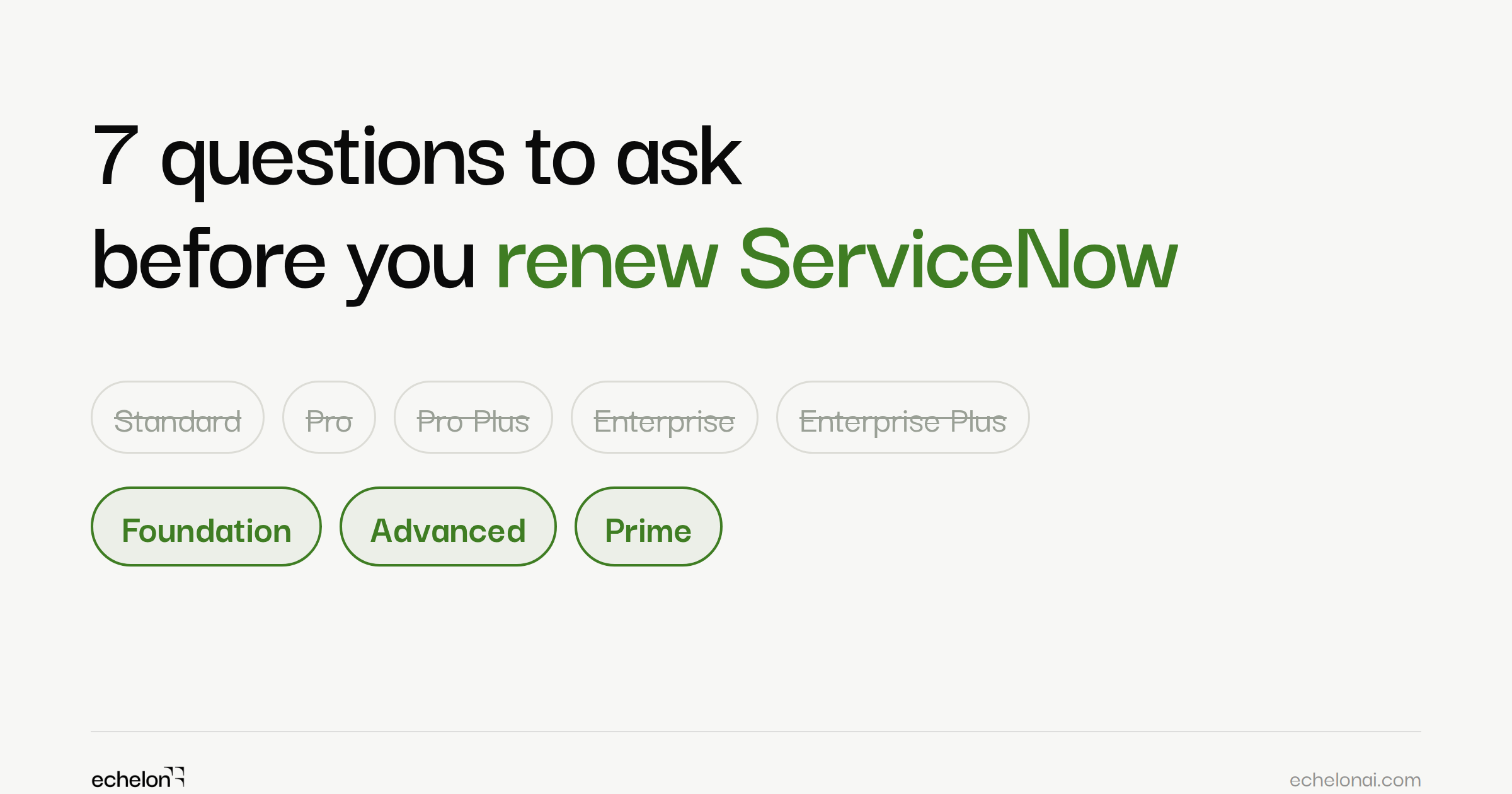
ServiceNow retired its five legacy subscription tiers, Standard, Pro, Pro Plus, Enterprise, and Enterprise Plus, and replaced them with three: Foundation, Advanced, and Prime. The new model took effect on 9 April 2026. The tier names come from ServiceNow's own executives in TechTarget's coverage of the launch, and the 1 July 2026 end of sale for legacy SKUs is stated consistently across ServiceNow partner briefings; after that date, legacy pricing cannot be reinstated. Customers on active multi-year agreements can usually keep adding quantities of SKUs they already own at existing terms; buying anything net-new is what moves you onto the new model.
Two structural changes came with the new model.
The first change is bundling. Now Assist, the Moveworks-powered EmployeeWorks front door, Workflow Data Fabric, and AI Control Tower are included in every tier rather than sold as separate add-ons. Whether that reads as a benefit or a price increase depends entirely on what you were paying for AI before, which is the point of question one.
The second change is the meter. ServiceNow measures AI usage in units called Assists, and every tier now ships with an Assist allowance; usage past it bills as overage. Assists have been Now Assist's meter since it launched. Until April, only customers who bought Now Assist as an add-on carried it. Now it is on every contract, and it behaves nothing like a seat count: it moves with how much your teams use AI, which is the thing your vendor is actively encouraging them to do more of.
The commercial framing worth holding in mind is that ServiceNow's AI annual contract value crossed $1 billion in Q2 2026, with a stated target of $1.5 billion by year end. Those are the numbers your account team is measured against when you sit down.
1. Which tier are we being mapped to, and what moved?
The mapping from five tiers to three is not a straight line, and capabilities relocated in the process.
Per a breakdown of the ITSM repackaging published on the ServiceNow Community, Foundation covers basic Incident, Request, and Asset and Cost, along with Virtual Agent, Predictive Intelligence, and Now Assist. Problem, Change, Major Incident, On-Call, and Walk-up sit in Advanced, alongside Platform Analytics Advanced and Process Mining. DevOps Change Velocity and the ability to build custom AI skills and agents sit in Prime.
Read the tier contents against what your teams run today. If you have a functioning Change process, you are an Advanced customer, and a proposal that maps you to Foundation is a proposal to remove capability you use. Conversely, if you are being routed to Prime, the question is whether you have a funded roadmap for building custom AI agents, because that is the capability Prime is gated on. Paying for it against a roadmap that does not exist yet is the most common way to overbuy in this model.
Ask for: a written side-by-side of your current entitlements against the proposed tier, line by line, showing every capability that moves in or out. Then ask what the cost delta is at equivalent seat count, broken out between the base platform and the AI components.
One useful detail buried in the repackaging: Virtual Agent now carries unlimited conversations. If you previously sized or throttled Virtual Agent deployment around conversation volume, that constraint is gone, and it may change the business case for channel deflection.
2. What is our Assist pool, and what does a top-up cost?
The Assist pool is the question with the least publicly available answer and the largest range of outcomes.
What is documented: Assists are allocated per license but aggregated and consumed at the account level, not per user, so every instance, including sub-production, draws from one shared pool. Consumption is not flat, and ServiceNow publishes the rates in its Now Assist Overview: a summarization request costs 1 Assist, while an agentic workflow costs 25, 50, or 150 Assists per execution depending on whether it calls fewer than 4, 5 to 8, or 9 to 20 tools.
What is not documented anywhere public: the pool size included in each tier, the price of top-up Assists, and whether the pool rescales if you change seat count mid-term. Two things that are documented and easy to miss: entitlements run in 12-month periods and reset on your anniversary date, so unused Assists do not roll over, and if usage exceeds the entitlement, ServiceNow may invoice for the excess.
The unpublished items are where the negotiation happens. Pool size, top-up price, and mid-term rescaling are all terms, and terms are negotiable when you name them.
Ask for: the Assist pool included at your seat count, the per-Assist top-up price, whether ServiceNow will agree to carry unused Assists into the next year, and a modeled consumption estimate for the skills your teams will run. All in writing. Then ask what happens operationally when the pool runs out mid-year: is there an alert, a throttle, or does usage continue and invoice as overage, which is the published default?
Negotiate a spending cap above which AI features throttle rather than bill. If your organization is early in its AI rollout, model this against a realistic adoption curve rather than today's usage, because today's usage is the number your vendor would prefer you size against. If you have not built that curve yet, our note on instance-first AI readiness is a reasonable place to start.
3. Which packaging paths are you being shown?
Before April, Now Assist came in two licensing models: an enterprise model that applied AI capability across the platform, and an application-specific model that licensed it for a defined product such as ITSM or CSM. Gartner analyst Jan Cook analysed that choice in "Reduce ServiceNow GenAI Costs With the Right Now Assist License Model" (October 2025).
The April repackaging folded Now Assist into each product tier, and the same enterprise-versus-product decision now shows up in a different form: a standalone tier for each product, combined SKUs such as ESM Foundation (ITSM Foundation plus a core business suite) and ServiceOps Advanced (ITSM Advanced plus ITOM Advanced on a shared credit model), and whatever enterprise-wide AI entitlement your account team is able to offer. The reason it matters at renewal is the same as before: not every account team presents every path. If you are given one structure and a price, you have been given half a decision.
Which packaging path wins depends on your expansion plans. A single-workflow deployment with no near-term plans to extend AI into other products is usually better served by a standalone tier. An organization intending to push AI across ITSM, HRSD, and CSM within the term should price the combined and enterprise-wide paths on a three-year view, because stacking product tiers one at a time is the expensive way to get there.
Ask for: a multi-year cost projection for every packaging path available to you, standalone, combined, and enterprise-wide, built on your current seat count and your actual roadmap. If your account team says only one path is available to you, ask them to put that in writing too.
4. What is the escalator, and is it capped?
ServiceNow does not publish standard pricing or standard escalator rates, and the advisories that track renewals report a wide spread. Contractual escalators of roughly 3 to 10 percent are typical, 3 percent compounding clauses are increasingly written into renewals, and Gartner has reported uplifts of 10 to 15 percent for customers renewing flat, driven by CPI adjustments, innovation uplifts, price-list changes, and the inclusion of Impact. On a large agreement, the compounding matters more than the headline: a 10 percent escalator on a seven-figure contract adds a six-figure sum by year three, and none of it appears in the year-one ACV you approved.
The structural point that matters most is when a cap is available. A cap on year-over-year increases is negotiated into the term you are signing, whether that is a first agreement or a renewal. It is not something you can add mid-term, and each renewal signed without one leaves the vendor holding your switching cost for the next cycle. If you are signing a multi-year agreement now, the cap conversation is now.
Ask for: the exact contractual mechanism driving annual increases. Is it a fixed percentage, a CPI-linked formula, or ServiceNow's discretion against a price list? Then ask them to enumerate every component that can raise ACV in years two and three, including anything described as an innovation uplift, and to state whether a hard cap on year-over-year increase is available.
Ask about true-down rights in the same conversation. ServiceNow agreements have historically been net-new commitments with limited ability to reduce. If your headcount falls or a business unit is divested, you want to know now whether you can shed the seats.
5. What is our exact notice window?
The notice window is the cheapest question on this list and the one most likely to have already cost someone reading this a full contract term.
ServiceNow agreements commonly carry auto-renewal provisions with a notice window of 60, 90, or 120 days before expiry, with 90 being typical. Miss the window and the subscription renews for a period equal in length to the initial term, at then-current rates. On a three-year agreement, missing a date by a week can commit you for three more years at prices you did not negotiate.
The trap is procedural. A team that has standardized on a 90-day process will fail silently against a contract that requires 120. Some contracts also specify the delivery method, and an email to your account executive does not satisfy a clause requiring written notice by certified mail.
Do this today, before any renewal conversation: open your current contract, find the notice provision, read the exact day count and the exact delivery method, and put a calendar reminder 30 days before that date with a named owner. This takes ten minutes and it is the single highest-return action in this article.
At signing, ask for the auto-renewal clause to be struck. It is a routine request and it is rarely made.
6. What are we paying for that nobody uses?
You cannot negotiate from strength against your vendor's usage numbers. You need your own.
Pull the complete current-state SKU list from your contract and from Subscription Management, then separate enabled licenses, meaning licensed but never configured, from actively deployed ones. That distinction is your strongest counter to a compliance narrative, and it is one most buyers cannot produce on demand. Pair it with 12 months of login and activity data across every licensed role, with particular attention to fulfiller seats, which are the most expensive thing on the bill.
Beyond the seat count, account for the cost lines that sit outside the headline ACV:
- Non-production instances. Your order form includes a set number of sub-production instances. Development, QA, staging, and performance instances beyond that number are billed separately, and teams with active development programs are often surprised by the total.
- ServiceNow Impact. The success and accelerator product has been cited by Gartner as a source of unexpected renewal uplift, appearing in pricing without having been explicitly discussed. Confirm whether it is in your proposal, what it costs, and whether you can opt out.
- IntegrationHub. Spoke and execution licensing sits outside the core platform license. Audit your integration layer before you renew.
- Support tier. Premium support is priced separately from the standard included level.
- Store applications. Anything licensed beyond core, including modules with measurable adoption you should verify.
One more question is worth asking about AI specifically. If you have Now Assist licenses on your bill today, are the skills live? Heavily customized instances frequently cannot support the skills they are paying for, because the underlying data model has drifted from what the skills expect. The mechanics of that drift are covered in what Now Assist for CSM needs from your data model, and the same customization also shows up as a cost at upgrade time, which we walked through in five surprises that catch teams off guard. The commercial version of the point is simple: an unusable license is still a line item.
Ask for: a complete cost schedule covering every separately licensed component for each year of the proposed term, and a written process for crediting or removing licenses that were never deployed.
7. Who is liable when an agent acts on its own?
The Advanced tier is sold on agentic workflows and Prime on autonomous agents. Agents that create records, route work, and trigger integrations without a human in the loop are the product. That changes what your contract needs to say.
ServiceNow has built substantial governance tooling here, and it is worth knowing what exists before you negotiate around it. AI Control Tower gives platform owners an inventory of deployed AI assets, intake and approval workflows, consumption and cost dashboards, and a kill switch that can shut down an agent that goes off script or acts beyond its permissions. Now Assist Guardian inspects prompts and responses at runtime for offensive content, prompt injection, and sensitive topics, configurable per category to log or block. Skills are off until an admin activates them, Guardian's guardrails are off by default apart from prompt-injection logging, and skills inherit the platform's role-based access controls, with Data Privacy for Now Assist available to mask sensitive fields before they reach a model.
What the governance tooling does not give you is a budget ceiling. There is no native Assist budget per team or per user. The controls that exist are request rate limits (per instance or per user), trigger throttling, and consumption spike alerts, and the account-wide view in Subscription Management refreshes daily with roughly a 24-hour lag rather than in real time. Governance today means approving deliberately and watching closely.
Ask for: which model providers process your data and whether ServiceNow can change that routing mid-term without notice; where prompt inputs and AI outputs are processed and stored; contractual confirmation that your data does not train foundation models; what the SLA is on AI features compared to the core platform; and what liability ServiceNow accepts when an autonomous agent takes an incorrect action in your production environment.
Ask what the audit log captures. For a regulated environment, "an agent did this" is not a defensible record. You need which model, on what input, at what time.
When to start, and why timing is leverage
Six to nine months before renewal, and a full year if the deal is large or involves a tier migration. That is not padding. Question five explains why: on a three-year agreement ending in Q1, your notice window may open two quarters before most organizations start renewal planning.
ServiceNow reports on a calendar fiscal year ending 31 December. Its quota pressure therefore builds through October, November, and December.
If your renewal falls in or near ServiceNow's Q4, that is a lever, though advisers disagree on which way it cuts: quota pressure can make an account team more generous or less flexible, so if you can influence the renewal date, model both. If it does not, your leverage has to come from preparation instead: your own usage data, a modeled Assist consumption curve, a clear position on which tier you belong in, and a credible willingness to run a process rather than accept a proposal.
Gartner flagged the direction of travel a year before the tier change. Its August 2025 note, "ServiceNow Product and Pricing Changes Will Impact Renewal Costs", found that changes to packaging and contract terms would raise costs for customers who did not plan ahead and take action. That is the finding worth carrying into the room: the gap in outcomes between prepared and unprepared buyers is wide, and the April changes widened it.
Key takeaways
- Five tiers became three on 9 April 2026, and legacy SKUs ended sale on 1 July 2026. Your renewal is a tier migration whether or not it is presented as one.
- Capabilities moved. Problem, Change, and Major Incident sit in Advanced. DevOps Change Velocity and custom AI agent building sit in Prime.
- Assists are a second meter, pooled at the account level. What each action costs is published; pool sizes per tier and top-up prices are not, which makes them negotiable terms rather than fixed facts.
- More than one packaging path exists: standalone product tiers, combined SKUs such as ESM Foundation and ServiceOps Advanced, and any enterprise-wide AI entitlement your account team can offer. Ask for all of them, priced across your full term.
- Escalators are contested territory: advisories report anywhere from 3 percent compounding clauses to 10 to 15 percent for flat renewals. A cap is available only in the term you are signing.
- Auto-renewal notice windows run 60, 90, or 120 days. Find yours today, not during the renewal.
- ServiceNow's fiscal year ends 31 December, so Q4 pressure runs October through December.
Frequently asked questions
When did ServiceNow change its licensing model?
The AI-native model took effect on 9 April 2026, replacing five legacy tiers (Standard, Pro, Pro Plus, Enterprise, Enterprise Plus) with three: Foundation, Advanced, and Prime. Legacy SKUs reached end of sale on 1 July 2026. Customers on existing multi-year agreements may have different migration timelines, so confirm yours in writing rather than assuming the public dates apply to your contract.
What is a ServiceNow Assist?
An Assist is the unit ServiceNow uses to meter AI consumption. Each tier includes an Assist pool that is aggregated at the account level rather than per seat, and usage beyond the pool can be invoiced as overage. Consumption varies by task, and ServiceNow publishes the rates: its Now Assist Overview puts a summary at 1 Assist and an agentic workflow at 25 to 150 Assists per execution depending on how many tools it calls. Pools run in 12-month periods and reset on the contract anniversary, so unused Assists do not carry over. ServiceNow has not published pool sizes per tier or top-up prices.
How much does ServiceNow increase prices at renewal?
ServiceNow does not publish standard escalator rates. Independent advisories report a wide spread, from 3 percent compounding clauses that are increasingly written into renewals to 10 to 15 percent uplifts for customers renewing flat. The figure that matters more than the range is whether your contract caps it. A cap is negotiated into the term you are signing, whether a first agreement or a renewal. It cannot be added mid-term.
How far in advance should I start a ServiceNow renewal?
Six to nine months, and a full year if the renewal is large or involves a tier migration. The constraint is the auto-renewal notice window, commonly 60, 90, or 120 days before expiry. On a three-year agreement ending in Q1, the notice window can open before most organizations have started renewal planning at all.
When is ServiceNow's fiscal year end?
31 December. ServiceNow reports on a calendar fiscal year, so its Q4 selling pressure runs October through December. If your renewal date falls in or near that window, expect the account team to push hard. Advisers disagree on whether that works for or against the buyer, so plan for both.
Which features moved between ServiceNow tiers?
In the ITSM repackaging, Foundation covers basic Incident, Request, and Asset and Cost. Problem, Change, Major Incident, On-Call, and Walk-up sit in Advanced. DevOps Change Velocity and the ability to build custom AI skills and agents sit in Prime. A team using Change management on a legacy entry tier does not map to Foundation.
Before the meeting
Of everything above, two things are worth doing this week regardless of when your renewal lands. Find your notice window and put a dated reminder against it with a name attached. And pull your enabled-versus-deployed license position, because that number takes time to produce and it is the one that changes the shape of the conversation.
The remaining questions are a meeting agenda. Send them ahead so the answers arrive in writing.
The services side of the bill deserves the same scrutiny. We wrote about how to think about that in outcome-based versus hourly billing.
If part of what you are evaluating is how much of your ServiceNow build and maintenance work still runs on human hours, that is the problem Echelon works on. Book a demo and we will show you what it automates in your instance.